Quick Start: Run astroflow on FRB180417
1) Get the test file
Option A: Zenodo (recommended)
wget -O FRB180417.fil "https://zenodo.org/record/3905426/files/FRB180417.fil"
Option B: GitHub raw (alternate mirror)
curl -L -o FRB180417.fil "https://raw.githubusercontent.com/lintian233/astroflow/main/tests/FRB180417.fil"
Quick check:
ls -lh FRB180417.fil
-rw-r--r-- 1 root root 1.7M Aug 26 20:12 FRB180417.fil
2) Create a run config
Save as frb180417.yaml:
# frb180417.yaml

input: FRB180417.fil      # Input file path (case-sensitive)
output: frb180417         # Output directory prefix (plots & logs go here)

mode: single              # One of [single, muti, dataset, monitor]

timedownfactor: 1         # Downsample factor for time axis
confidence: 0.4           # Detector confidence threshold

dedgpu: 0                 # GPU index for dedispersion
detgpu: 0                 # GPU index for detection
cputhread: 8              # CPU workers (I/O, prep)

plotworker: 1             # Plotting workers

modelname: yolov11n       # Detection model; currently only yolov11n is supported

# maskfile: none.txt      # RFI mask file (or  disable)
gencand: true             # generate candidate info csv file

tsample:
  - name: t1
    t: 0.5                 # seconds per detection slice
    # (pulse_width ~ 1-10 ms 0.5s is recommended )
    # (pulsewith ~ 0.1-0.5 ms <0.05s is is recommended )


# human-readable label for DM limits
dm_limt:
  - name: limt1
    dm_low: 0
    dm_high: 800

# Actual DM search grid FRB181407 DM is 474.8
dmrange:
  - name: dm_10_600
    dm_low: 10
    dm_high: 600
    dm_step: 1  #DM trails > 500 is strong recommended

# Frequency window (MHz)
freqrange:
  - name: fullband
    freq_start: 1130
    freq_end: 1465
#   - name: lowband
#     freq_start: 1130
#     freq_end: 1250


# DMT (DM–time) plot scaling
dmtconfig:
  minpercentile: 0
  maxpercentile: 99.99

# Dynamic spectrum plot scaling
specconfig:
  minpercentile: 0.1
  maxpercentile: 99.9
  tband: 120                # time bands
  mode: subband             # one of [subband, standard, detrend]
  dtrend: true             # optional: linear detrending per subband (default false)
  norm: false                # optional: normalize each subband (default true)
  subfreq: 128              # optional: subbands in subband mode (default 128)
  subtsamp: 2               # optional: time binning factor (default 4)
  savetype: png             # optional: image format png/jpg
Tip:
subfreq,subtsamp,dtrend,norm, andsavetypeare optional. Remove any line to fall back to the default behaviour shown in the comment.
Notes
If you run on a multi-GPU box, switch
dedgpu/detgputo the indices you want (or useCUDA_VISIBLE_DEVICES).
3) Run
astroflow frb180417.yaml
You should see logs like:
❯ astroflow ./frb20180417.yaml
Detected mode: single
Starting single file search for: ....
[TIMER] IO : 0.001 seconds, 1387.844 MB/s
[INFO] Using device 0: ....
[INFO] RFICONFIG use_iqrm=0, use_zero_dm=0, use_mask=0
....
[INFO]: INPUT SHAPE = [591, 5120], T: 6.484 s, SDM1: 591, ST2: 394, N: 13
....
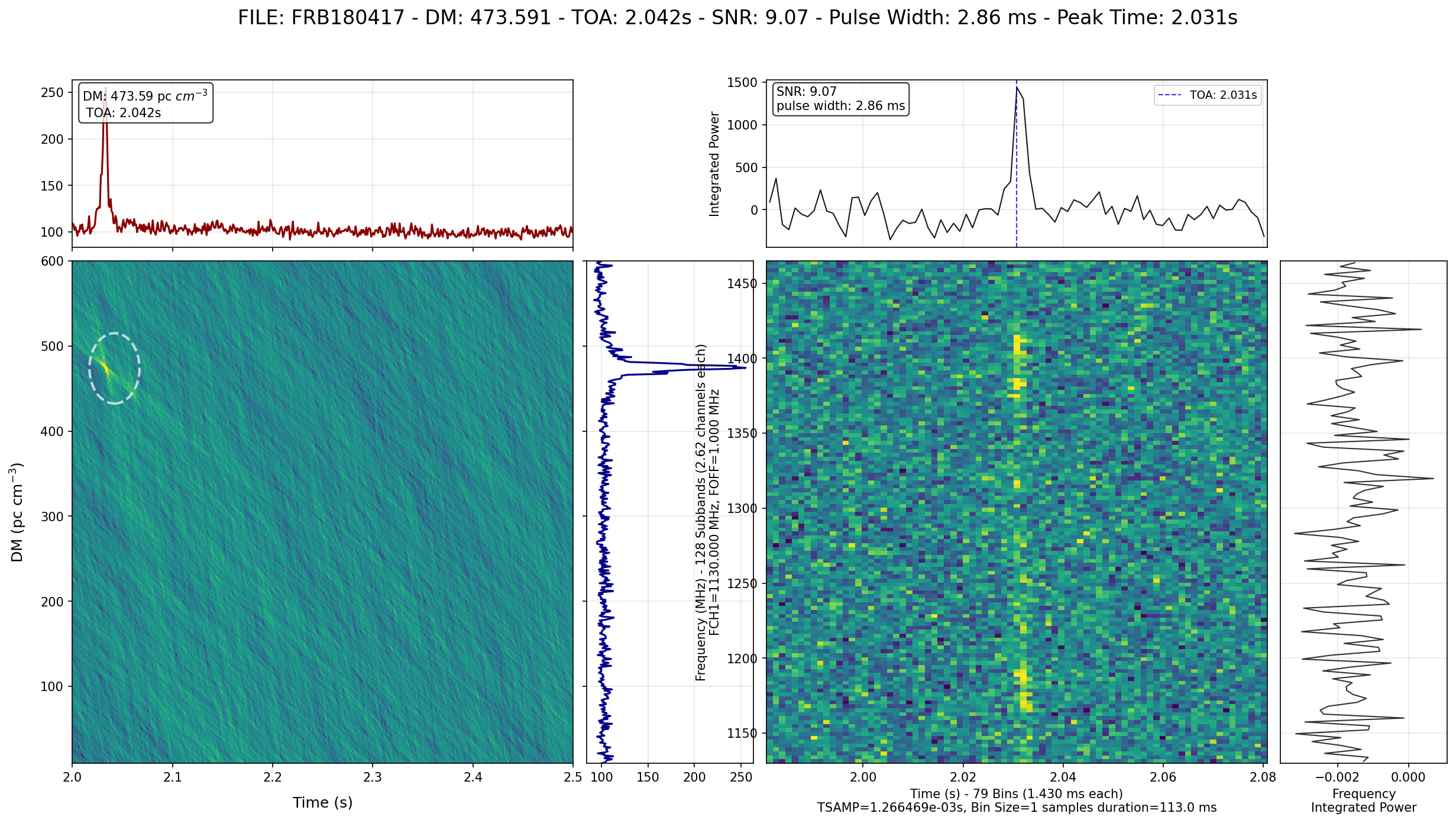
Saving: 9.07_2.86_473.591_2.042_FRB180417_T_2.0s_2.5s_DM_10_600_F_1130_1465.png
4) View the results
Images are written under the output prefix, e.g.:
ls frb180417/detect/*.png

display frb180417/detect/*.png
You should see png like:
5) Troubleshooting
Model Download Failure
astroflow will automatically download the required AI model on its first run. If you see an error message like the one below, it means the automatic download failed after several attempts, likely due to network issues or file corruption.
Warning: Model file checksum mismatch on attempt 1/3. Expected d4305e273fec6f5733f3c0a823fa5275064b015d549fda26529e0b1b8f59c124, but got xxxxxxx. The file is corrupted and will be re-downloaded.
.......
Error: Failed to download model from https://github.com/lintian233/astroflow/releases/download/v0.1.1/yolo11n_0816_v1.pt after 3 attempts.
Solution: Manual Download
You can manually download the model and place it in the correct directory.
Create the configuration directory if it doesn’t exist:
mkdir -p ~/.config/astroflow
Download the model file using
wgetorcurl:wget -O ~/.config/astroflow/yolo11n_0816_v1.pt "https://github.com/lintian233/astroflow/releases/download/v0.1.1/yolo11n_0816_v1.pt"
Alternatively, you can download it from your browser and move it to
~/.config/astroflow/yolo11n_0816_v1.pt.